Gaming PC components in 2026: how to choose every part with DDR5 RAM pricier than ever
Processor, graphics card, RAM, SSD, motherboard, power supply, cooling and case: what to choose in October 2026 for gaming at 1080p, 1440p or 4K, how the DDR5 memory crisis affects your budget and which mistakes to avoid when building.
In this article
Choosing gaming PC components in 2026 means watching the price as closely as the performance. DDR5 memory costs around five times what it did before the crisis, graphics cards are selling well above their launch prices, and the next generations of processors aren't expected until the end of this year or early 2027 at the earliest.
The short answer: for gaming today, the most balanced combination is an AMD processor with 3D cache (or an Intel Core Ultra 200S Plus if you also use your PC for work), a graphics card with 12–16 GB of VRAM, 32 GB of DDR5 in two modules, a 1 or 2 TB PCIe 4.0 NVMe SSD and a quality power supply sized to match the graphics card. Below you'll find each component, combinations for 1080p, 1440p and 4K, and the most common building mistakes.
What has changed in 2026 when choosing components for a gaming PC
The cause of the price rises is artificial intelligence: memory manufacturers are prioritising servers, leaving fewer chips for PCs, SSDs and graphics cards. According to market analysts TrendForce, contract prices for conventional DRAM will rise by another 10–15% in the fourth quarter of 2026, and those for NAND memory (the kind used in SSDs) by 15–20%. It also expects that the supply of PC memory may shrink in 2027.
In practice, this shifts the priorities:
The graphics card still rules when it comes to FPS: protect it when you split your budget.
32 GB of RAM is still the recommended amount, but it isn't worth paying much more for very fast kits.
Reuse what you can: drives, case, a quality power supply or even your DDR4 if your platform allows it.
Check availability, not just the lowest price: there can be hundreds of euros between the cheapest listed price and the price of a product available for immediate delivery.
Processor: 3D cache for gaming and a platform with a future
In games, AMD processors with 3D V-Cache are still ahead. Tom's Hardware's guide, updated in October 2026, keeps the Ryzen 7 9800X3D as the best overall choice: the Ryzen 7 9850X3D is the fastest, but only by 3.3% on average, and it costs more. At the very top sits the Ryzen 9 9950X3D2, with 3D cache on both of its core chiplets, for those who game and also render or compile.
By budget:
High-end for gaming: Ryzen 7 9800X3D or 9850X3D. They draw little power and are easy to cool.
Mid-range with 3D cache: Ryzen 7 7700X3D, launched by AMD in July as an entry point to AM5 (8 cores and 104 MB of total cache).
Intel: Core Ultra 7 270K Plus (24 cores) and Core Ultra 5 250K Plus (18 cores), on sale since March. They're slightly slower in games than the X3D chips, but offer more cores for work. They use 800-series LGA 1851 motherboards with an updated BIOS.
Tight budget: Ryzen 5 7600X, or Ryzen 7 9700X if you want eight cores without 3D cache.
Is it worth waiting for the next generation? At the start of the year, Intel said its new Nova Lake family would arrive at the end of 2026, but the most recent leaks place the desktop models in 2027, with a new socket. AMD hasn't given a date for Zen 6 on desktop, although in its Computex 2026 announcement it confirmed it will keep supporting the AM5 socket until 2029, which leaves room to upgrade just the processor in a few years' time. You can browse models in our processors section.
Graphics card: the part that weighs most on FPS and on your budget
There's no new generation this year: the GeForce RTX 50, the Radeon RX 9000 (including the 12 GB RX 9070 GRE, launched worldwide in June) and the Intel Arc B580 and B570 carry on. What has changed is the price. In October, 3DCenter compared typical prices in Germany in November 2025 with current ones:
RTX 5060: from €270–310 to €420–490
RX 9060 XT 16 GB: from €330–380 to €520–590
RTX 5060 Ti 16 GB: from €410–450 to €680–850
RX 9070: from €520–580 to €660–760
RTX 5070: from €520–560 to €800–900
RX 9070 XT: from €590–670 to €790–880
RTX 5070 Ti: from €740–830 to €1,200–1,290
RTX 5080: from €1,000–1,140 to €1,540–1,650
RTX 5090: from €2,600–2,900 to €6,000–6,800
These are German prices including VAT, useful only as a trend; in Andorra the final price is different because IGI applies. The conclusion does hold, though: Nvidia cards have gone up by 66% on average and AMD's by 46%, so today the Radeon RX 9070 and RX 9070 XT offer the best price-to-performance ratio at 1440p. A GeForce still makes sense if you prioritise ray tracing, DLSS 4 with Multi Frame Generation or work software that takes advantage of CUDA.
How much VRAM you need
8 GB: enough for 1080p and competitive games, although some demanding titles force you to lower texture quality. The press is divided on this: PC Gamer considers it enough in most cases, while PC Games Hardware already advises against it.
12 GB: fine for 1440p with upscaling (DLSS, FSR or XeSS).
16 GB or more: the recommended amount for 1440p at high settings in the long run, and for 4K.
AI upscaling (DLSS 4 on Nvidia, FSR 4 on Radeon RX 9000) lets you play at high resolutions with less horsepower. Frame generation works best when the game already runs smoothly: it won't turn a modest graphics card into a high-end one.
Is it worth waiting for the RTX 50 Super?
Nvidia hasn't announced them. Several outlets have reported that they've been delayed, or even cancelled, due to a shortage of 3 GB GDDR7 chips, but there's nothing official, and without a date, waiting isn't a reliable strategy. If you need one now, take a look at our graphics cards.
DDR5 RAM in 2026: price, availability and how much to buy
It's the component hit hardest. In the United States, the cheapest 32 GB DDR5-6000 kit cost $449.97 on 14 October, according to Tom's Hardware. The situation in Europe is similar: according to PC Games Hardware, the 3DCenter index puts DDR5 in Germany at 5.6 times its July 2025 price, and the cheapest available 2 × 16 GB DDR5-6000 kit cost €447 on 17 October. A 32 GB Kingston Fury Beast DDR5-6000 CL30 kit that could be found from €114 in September 2025 was starting at €579.
Availability is patchy too: high-capacity kits (64 and 96 GB) are the scarcest, and for some of them the gap between the lowest listed price and the price of a unit available for immediate delivery is around €300. The forecasts don't encourage waiting: TrendForce expects further increases and tight supply in 2027, and the analysts quoted by the specialist press don't see clear price drops before 2028.
Which memory kit to choose
32 GB (2 × 16 GB) is the recommended amount for gaming in 2026. In September's Steam survey it's already the most common configuration (42.22%), ahead of 16 GB (37.82%).
16 GB (2 × 8 GB) only if your budget won't stretch further and you mostly play competitive titles; adding another kit later doesn't always run at the same speed.
Speed: on AM5, DDR5-6000 with CL30–CL36 latency is the sweet spot; on Intel Core Ultra, DDR5-6400 or faster is advisable. Paying much more for extreme kits makes barely any difference in games.
Two modules are better than four: with four DDR5 modules, the motherboard usually lowers the memory speed.
64 GB only if you also edit video, stream or use virtual machines.
If you already have a DDR4 PC
DDR4 has gone up as well (2 × 16 GB DDR4-3200 from €239 in Germany), but it costs less per GB. With an AM4 motherboard, or a 12th- to 14th-gen Intel board with DDR4, swapping the processor and graphics card while keeping your memory can work out much cheaper than a new platform; AMD has even relaunched the Ryzen 7 5800X3D in a 10th Anniversary Edition for AM4. If you need more, check out our RAM section.
SSD: PCIe 4.0 NVMe and the largest capacity you can get
SSDs have gone up for the same reason. In Germany, a 1 TB PCIe 4.0 NVMe drive works out at around €144 per TB and 4 TB models at around €112 per TB (from €449), according to 3DCenter data compiled by PC Games Hardware: larger capacities are now the best value.
PCIe 4.0 is enough for gaming. A PCIe 5.0 drive barely cuts loading times and costs considerably more: in Germany, the cheapest 4 TB model with DRAM cache went from €499 to €699 in a month.
1 TB is the minimum and 2 TB is the comfortable option. Red Dead Redemption 2, for example, asks for 150 GB of free space on Steam.
For your main drive, TLC memory is the better choice and, if possible, a DRAM cache; QLC or SATA drives are for storage. You'll find drives in storage.
Motherboard: socket, chipset and what you actually need
The motherboard decides which processor you can fit today and which one you'll be able to fit tomorrow. On AMD, all AM5 motherboards use DDR5:
B650 / B850: the logical choice for gaming. B850 adds PCIe 5.0 on the first M.2 slot and allows CPU and memory overclocking.
X870 / X870E: PCIe 5.0 for the graphics card too, and USB4 as standard. Useful if you want plenty of connectivity, but they don't give you more FPS.
B840 / A620: entry-level; no CPU overclocking and less connectivity. For a high-end processor, a B650 or B850 with a better power delivery stage (VRM) is worth it.
On Intel, the Core Ultra 200S and 200S Plus use LGA 1851: Z890 if you want to overclock the processor and B860 for a regular gaming PC. Also look at the M.2 slots, the Wi-Fi and the button for updating the BIOS without a processor. There are options for both platforms in motherboards.
Power supply: where you shouldn't cut corners
A poor power supply can cause restarts or even damage your PC. Look for an ATX 3.1 model with 80 PLUS Gold certification (or the Cybenetics equivalent) and, if your graphics card uses the 12V-2x6 connector, make sure the cable comes included. Manufacturers' recommended wattages for the whole system:
RTX 5060: 550 W · RTX 5060 Ti: 600 W
RTX 5070: 650 W · RTX 5070 Ti: 750 W
RX 9070 XT: 750 W minimum
RTX 5080: 850 W · RTX 5090: 1,000 W
Nvidia's figures come from its official specifications. With a high-end Intel chip, which can reach 250 W in turbo, add some headroom. You can compare power supplies by wattage and certification.
Cooling and case: temperature, noise and space
Ryzen X3D and processors up to around 120 W: a good air tower cooler is enough.
Intel Core Ultra K or Ryzen 9: a dual-tower cooler or a 280 or 360 mm AIO liquid cooler.
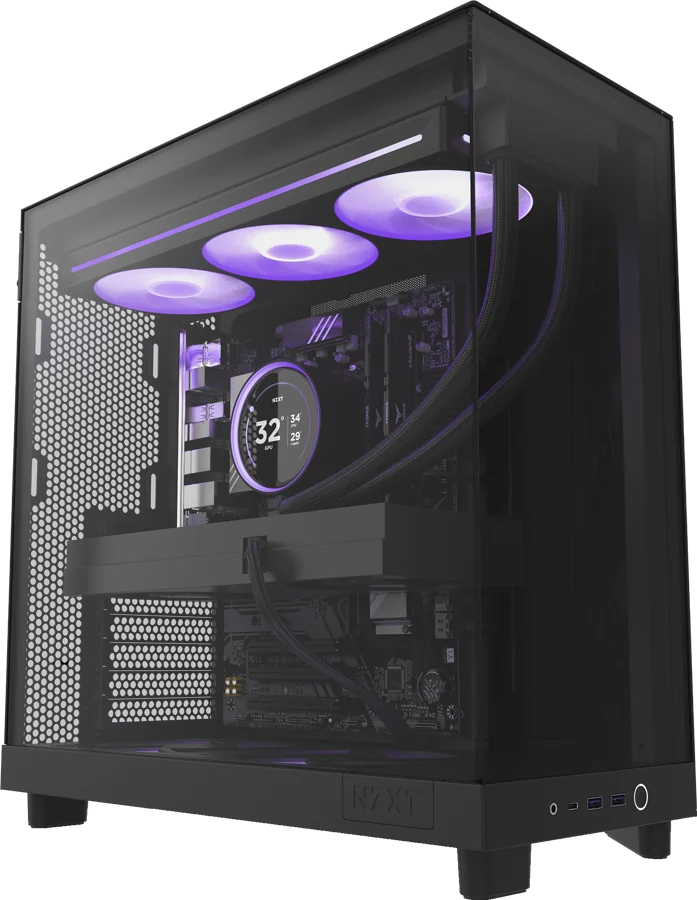
Case: mesh front panel, dust filters and plenty of room. High-end graphics cards are long and thick: check the maximum graphics card length and cooler height the case supports.
Airflow: front fans pulling air in, and rear or top fans pushing it out.
Recommended gaming PC components in 2026 by resolution
Rough combinations, without brands or specific motherboard models, so you can adapt them to whatever is available at any given time.
1080p: competitive gaming and AAA at high settings
Processor: Ryzen 5 7600X or Core Ultra 5 250K Plus; Ryzen 7 7700X3D if you're after high FPS in shooters.
Graphics card: RTX 5060 or RX 9060 XT 8 GB for esports; RX 9060 XT 16 GB or RTX 5060 Ti 16 GB for AAA games.
RAM: 32 GB DDR5-6000 (16 GB as the absolute minimum).
SSD: 1 TB PCIe 4.0 NVMe.
Motherboard, PSU and cooling: B650/B850 or B860, 550–650 W Gold and a tower cooler.
1440p: the sweet spot for most people
It's the fastest-growing resolution: 27% of Steam players already use it, compared with 47.9% on 1080p, according to the September 2026 Steam Hardware Survey.
Processor: Ryzen 7 7700X3D or 9800X3D; Core Ultra 7 270K Plus if you also use your PC for work.
Graphics card: RX 9070 or RX 9070 XT; RTX 5070 or 5070 Ti if you prioritise DLSS and ray tracing.
RAM: 32 GB DDR5-6000 CL30–CL36.
SSD: 2 TB PCIe 4.0 NVMe.
Motherboard, PSU and cooling: B850, 750 W Gold ATX 3.1 and a dual-tower cooler or 240–280 mm AIO.
4K: maximum detail
Processor: Ryzen 7 9800X3D or 9850X3D.
Graphics card: RTX 5080 or RTX 5090; the RX 9070 XT with FSR 4 is a reasonable alternative if you're happy to use upscaling.
RAM: 32 GB (64 GB if you also create content).
SSD: 2–4 TB PCIe 4.0 NVMe.
Motherboard, PSU and cooling: B850 or X870, 850 W (RTX 5080) or 1,000 W (RTX 5090) ATX 3.1, and a 360 mm AIO or high-end tower cooler in a case with good airflow.
If you also stream or edit video, step up to a Ryzen 9 9950X3D and 64 GB of RAM.
Common mistakes when building a gaming PC
Not enabling EXPO or XMP in the BIOS. Without that profile, DDR5 runs at its base speed and you lose performance.
Plugging the monitor into the motherboard instead of the graphics card.
Putting the RAM in the wrong slots or using a single module. With two modules, the manual tells you which slots to use (usually the second and fourth).
Mixing memory kits to upgrade: two identical kits bought separately don't always work together at the advertised speed.
Not updating the BIOS before installing a processor that's newer than the motherboard: the PC may not boot.
Not seating the graphics card's 12V-2x6 connector properly or bending the cable right where it leaves the plug. It must go all the way in.
Forgetting to remove the protective film from the cooler base or the M.2 thermal pad.
Buying without measuring: graphics cards that don't fit in the case or coolers that are too tall.
Unbalancing the budget: a high-end processor with an entry-level graphics card delivers fewer FPS than the opposite split.
Reusing an old power supply without the right wattage or connectors.
Build your gaming PC with MEGA SYSTEM in Andorra
With prices changing every week, a balanced configuration matters more than ever. At MEGA SYSTEM we build every gaming PC by hand in Escaldes-Engordany and put it through 24 hours of testing before delivery, with a 3-year warranty and repairs in our own workshop. You can choose every part in the PC configurator, message us by chat or contact form (a person replies, not a bot) or drop by our shop at Av. Carlemany, 38, Monday to Saturday. We deliver within 24 hours to every parish in Andorra, and in-store collection is free.
Frequently asked questions
16 or 32 GB of RAM for gaming in 2026?
32 GB in two modules is the recommended amount for current games and to give you headroom. 16 GB is still fine for competitive titles at 1080p, but it's tight in many AAA games if you have your browser or Discord open.
Will DDR5 memory prices come down soon?
Not in the short term. TrendForce expects further increases in late 2026 and tight supply in 2027, and analysts don't expect clear price drops before 2028. If you need a PC now, there's little point in waiting.
AMD or Intel for a gaming PC in 2026?
For gaming, Ryzen chips with 3D cache (7700X3D, 9800X3D and 9850X3D) are the fastest. Intel's Core Ultra 200S Plus processors have more cores and make sense if you also use your PC for work.
What power supply do I need for an RTX 5070 or an RX 9070 XT?
Nvidia recommends 650 W for a system with an RTX 5070, and AMD calls for a minimum of 750 W for the RX 9070 XT, ideally from an ATX 3.1 model with 80 PLUS Gold certification.
Is a PCIe 5.0 SSD worth it for gaming?
Not at the moment. In games, the difference compared with a good PCIe 4.0 drive is minimal and the price is considerably higher, so you're better off investing in more capacity.